What is ActivePresenter

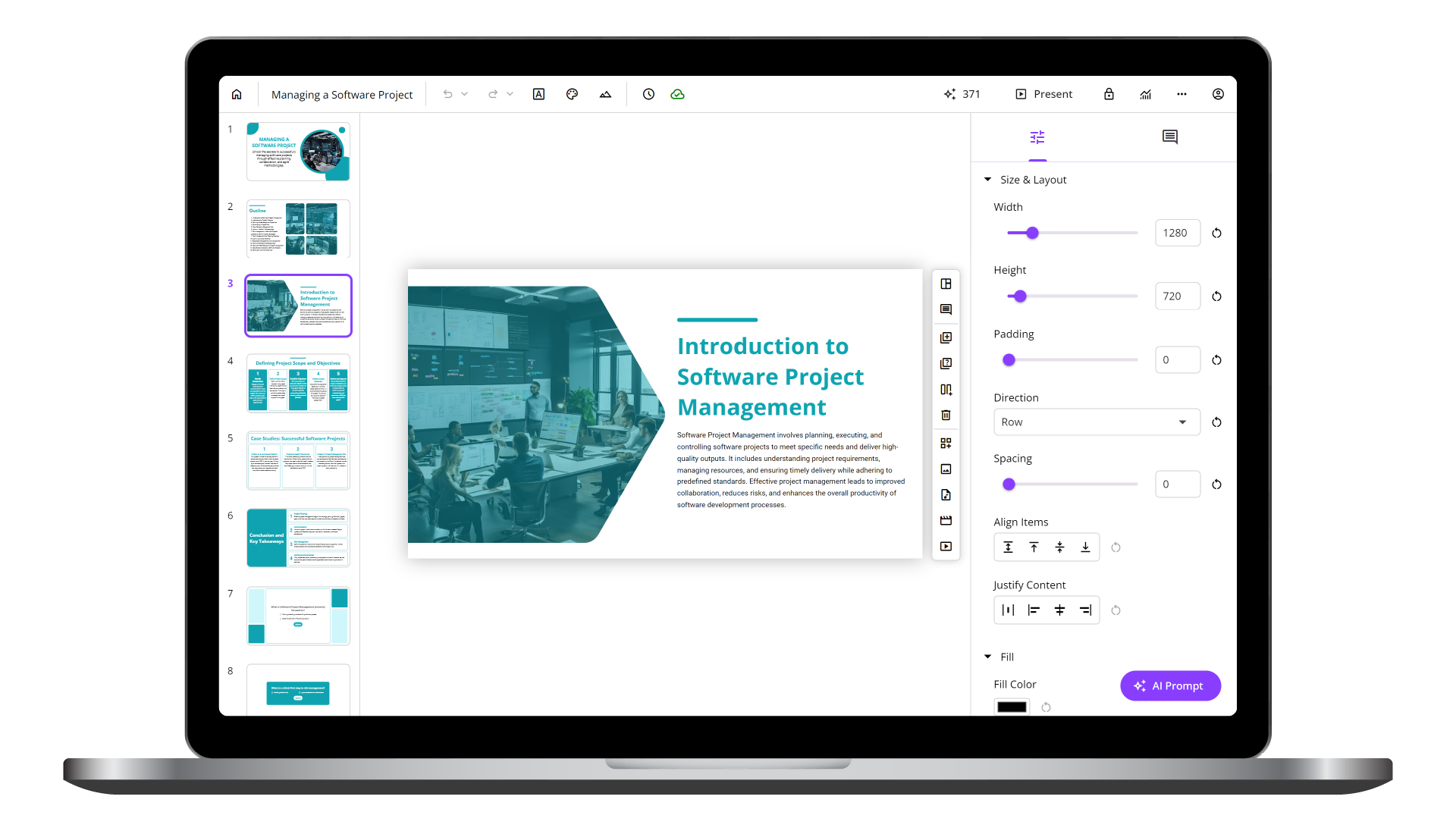
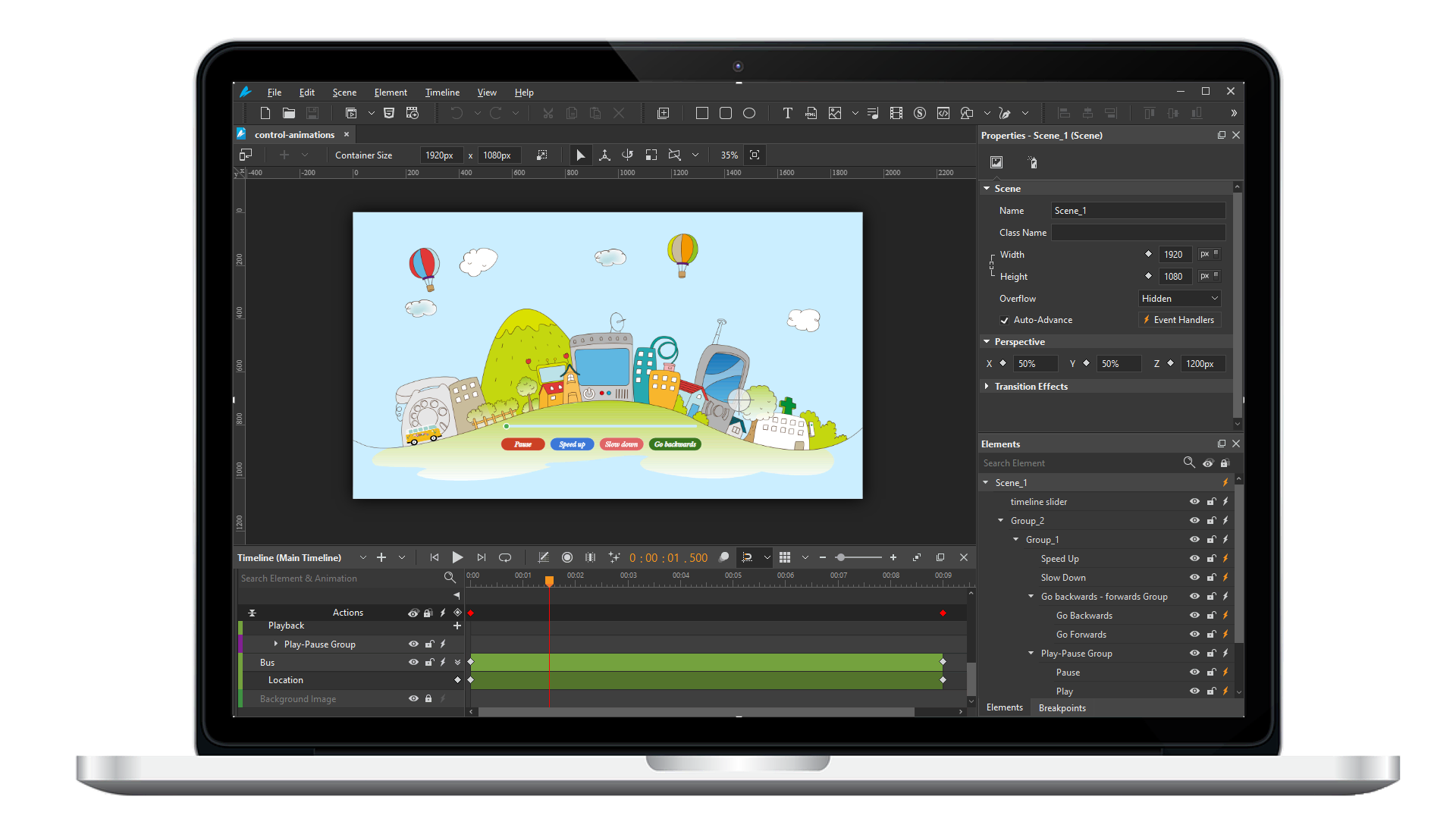
ActivePresenter is an advanced presentation tool, designed especially for computer software simulations, with blazing fast, smart screen capture technology; a powerful authoring environment and the ability to create high-quality AJAX or Adobe Flash interactive simulations.

ActivePresenter can help when you need to:

  • Show how software applications or IT systems work visually and interactively
  • Create software demos which require only a web browser to run, on any platform
  • Create interactive tutorials or software manuals with audio narations
  • Create eye-catching and professionally-looking interactive presentations for viewing on the web


With its smart and fast screen capture ability, ActivePresenter reproduces your on-screen activity and records in video, sound, image or text formats within few minutes. Coupled with a powerful yet easy-to-use authoring environment, you can easily create advanced simulations, scenarios, quizzes or online documentation just by operating on target application and let ActivePresenter do the jobs for you. No programming or multimedia skills needed.

With SCORM support, you can also pack your outputs to import and use in most modern Learning Management Systems (LMS, e.g. Moodle, Dokeos, Sakai ...). ActivePresenter supports both SCORM 1.2 and SCORM 2004 standards.

You can create Screenshot projects (record screenshots as you go), Image projects (using existing images you have created), Blank projects (using blank slides on which you can manually insert the information you need) or reuse your Powerpoint slides by converting them to ActivePresenter projects.

 
ActivePresenter 2.1 Released

December 11th, 2009

We are pleased to announce that ActivePresenter 2.1 is now available.

This version includes fixing for bugs of previous version and some new features.

Bug fix:

  • Auto by pass slide after a period of time when runing AJAX Simulation. This issue only happens if you put content in server and your internet speed is too slow
  • Disable HTTP/Email report method in AJAX, Flash simulation when generating SCORM is selected
  • Sometime security warning message of Internet Explorer is displayed when viewing interactive output content on local computer

New features:

  • Supporting Spanish - ActivePresenter now is fully localized for Spanish
  • Implement background preloading technique for AJAX player: all resources for each slide will be preloaded simultaneously in the background
  • Reduce flicker remarkably when changing slides in AJAX and Flash simulation. Slide transition is very smooth now, even when you do not use animation effect.
  • Add closed caption which displays description for each slide in AJAX simulation.
  • Adding more pre-installed professional templates for creating AJAX and Flash Simulation.
  • Customizable visibility of balloon object. The balloon object can now be set to display on every simulation modes or only visible for specified modes.
  • Expand the resource template with new shapes for balloons and hints.


Read more...
 
ActivePresenter 2.0 released

Oct 15, 2009

We are pleased to announce that ActivePresenter 2.0 is now available.

ActivePresenter is still available in three editions: Free, Standard and Professional.
For a complete list of features of each edition, please see the Feature Comparison table.

ActivePresenter 2.0 is packed with new and improved features that help you work faster, increase the quality and attraction of your project output formats.

Read more...
 
Feature Highlights

Capturing is easy and quick

  • Automatically capture screens whenever you type or click, so you can create training materials and simulations easily only by operating on the target application
  • Blazing fast: You can’t even notice any differences in application performance while ActivePresenter is capturing
  • Automatically create appropriate actions to simulate your real operations
  • Automatically insert predefined balloon to annotate each operation
  • Filter multiple keyboard strokes based on context
  • Full-screen capture mode
  • Define dimensions and position of capturing window

Easy to use editor

  • Many types of annotations: Balloons, Text Captions, Images, Highlights, Hints, Audio
  • Apply visual effects for annotation objects
  • Secure your recorded projects with password
  • Insert unlimited design objects per slide
  • Unlimited Undo/Redo capabilities
  • Manage slides easily with slide thumbnails
  • Drag & Drop editing
  • Insert customizable balloons, highlights, hints or text captions
  • Adjust object color, translucency, z-index, and borders
  • Set individual timing and display duration of objects
Read more...
 
Screenshots

ActivePresenter's Screenshots


Capture new project dialog Capture new project
Main window with opening projects Main Window
Read more...
 

Customer Login

You can also log in using your Gmail account or OpenID


Poll Question

Which output format would you like to have the most?
 

Navigation: Home

Free Edition

Free Edition is free of charge, as its name implies. However, it still has almost all the features as in the Standard or Professional Edition, except the export capability.

With this free edition, you can easily create video demonstration for your software within minutes.

View a demo

See the Features Comparison for more details


Standard Edition

If you only want to create manuals, handouts, or documentation with ActivePresenter then the Standard Edition is the proper choice.

In addition to the capability to export recorded project to Image series or Video as in the Free Edition, you can also export to popular document formats, such as:

  • FlashVideo (FLV)
  • Microsoft Word Documents (DOC)
  • Microsoft Excel Spreadsheets (XLS)
  • Adobe PDF
  • HTML Slideshow

Compared to the Professional Edition, the Standard Edition only lacks the capability to export to interactive AJAX/Flash simulations and Powerpoint presentations.

Watch a demo HTML Slideshow

Please see the Features Comparison for more details.

Professional Edition

Besides the capability to create Video (AVI, WMV, MPEG4/MP4), FlashVideo (FLV), HTML, or other document formats (PDF, DOC, XLS), Professional Edition also bring you amazing capability to create interactive AJAX/Flash simulations and Microsoft Powerpoint presentations.


Watch an output demonstration


Please see the Features Comparison for more details.